

• Skip to main content
  • Skip to secondary menu
  • Skip to footer
PSD Stack

PSD Stack

  • Blog
    • Basic
    • Photo Manipulation
    • Photo Effects
    • Beginner Series
    • Text Effects
  • Photography
  • Interviews
  • Shop Presets
    • Singnature Presets
      • Best Seller
      • Bundles (Special Offer)
      • All Access Pass
    • Tones
      • Bright Airy
      • Dark/Moody
      • Creamy Tones
      • Cinematic
      • Warm Tones
    • Season
      • Fall
      • Spring
      • Summer
      • Winter
    • Industry
      • Landscape
      • Tropical
      • Wedding
      • New Born/Family
  • Lightroom Presets Bundle
  • My account
  • Cart

Free Light and Airy Presets For Classic & Mobile

Last updated on December 26, 2025 by Bunty Pundir 15 Comments

Share
Tweet
Pin
28 Shares

Check out my free pack of light and airy presets to brighten up your photos in a snap. This pack adds a bright, light, and airy look to your images. If your photos need a boost of light and color, try this pack to turn good images into great ones.


Take a look at the before imagery of these presets.
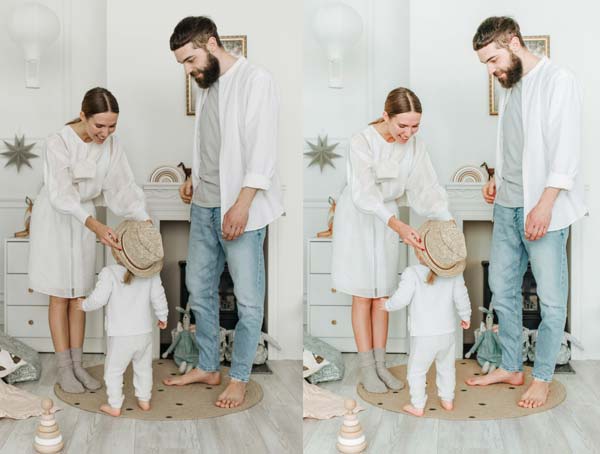
Bright and airy looks in just one click. You can even set the intensity of these presets by adjusting the values of Highlights and Whites in Lightroom. Use high values for strong light and airy look, and use lower values for a less strong and soft bright look.
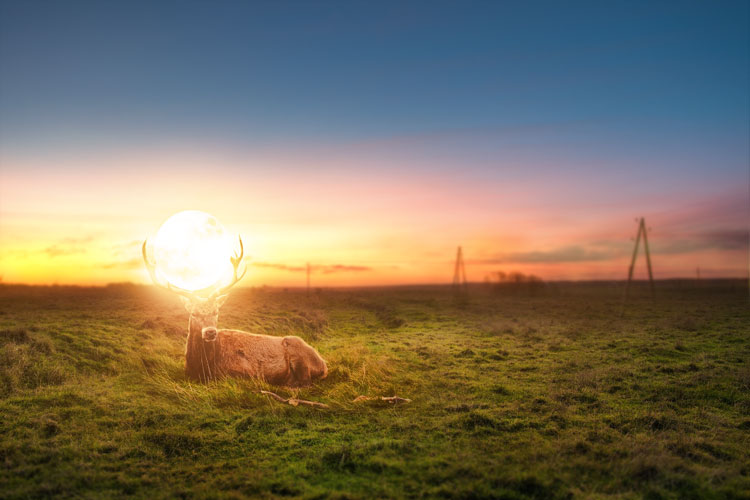

Get Free Lightroom Presets Bundle!

Get Free Lightroom Presets including Light & Airy, Dark & Moody, Landscape & many more. Subscribe and get the bundle delivered to your inbox!


Once you’ve used any preset, make sure to increase the Vibrance and Saturation values to make the colors pop in your images.

Download The Free Light and Airy Preset Here

Get Premium Airy Presets W/ Ultimate Presets Bundle


Check out more Free Lightroom Presets
Reader Interactions

Comments

  1. Aaqib says

    January 18, 2021 at 11:29 pm

    They are better in their original form. You just made them too much exposed.

    Reply
    • Bunty Pundir says

      January 18, 2021 at 11:35 pm

      Hi Aaqib,

      These are just to show you how these presets work. As I mentioned, that you need to adjust highlights and whites to set the airy look intensity (because every image is different). If these presets are making your images over-exposed, please bring down the Highlights & Whites values.

      Thanks,
      Bunty

      Reply
  2. Laura says

    November 25, 2021 at 10:17 am

    Great presets!👍

    Reply
  3. Maryam says

    January 25, 2022 at 11:39 am

    Love it , thank you for this

    Reply
    • Bunty Pundir says

      January 25, 2022 at 8:00 pm

      You are welcome Maryam!

      Reply
  4. Asha says

    April 16, 2022 at 2:35 am

    Hi,
    Ive downloaded the bundle. When im trying to import the dng file to Lightroom, I get an error message ‘file is duplicate or invalid’. What do I do? Can you help?

    Reply
    • Bunty Pundir says

      April 16, 2022 at 10:00 pm

      Ignore the error. You should have all the presets available under Your Presets in the Lightroom mobile app. Please let me know if you need more help!

      Reply
      • Asha Seth says

        April 16, 2022 at 10:03 pm

        Not available. Any other way to import the files?

        Reply
        • Bunty Pundir says

          April 16, 2022 at 10:07 pm

          Did you follow the installation instructions here: https://www.psdstack.com/photoshop-tutorials/how-to-install-lightroom-presets/ ??

          Reply
  5. Cara says

    May 1, 2022 at 9:59 pm

    How can I get these if I have the old Lightroom 5 version? As these are all in .xmp files. Thanks

    Reply
    • Bunty Pundir says

      May 3, 2022 at 8:19 pm

      Hi Cara,

      Thanks for letting me know. I have updated the presets and added the .lrtemplate files. Please download the airy presets again and you should have them.

      Thanks again,
      Bunty

      Reply
      • Cara says

        May 6, 2022 at 8:42 am

        Yay, great! Thank you so much, Bunty!

        Reply
        • Bunty Pundir says

          May 6, 2022 at 8:53 am

          You are welcome. I hope you like the presets results.

          Reply
  6. Mayur says

    August 24, 2022 at 6:11 am

    Wow wonderful presets

    Reply
    • Bunty Pundir says

      August 24, 2022 at 6:20 am

      Thanks, Mayur!

      Reply

Leave a Reply Cancel reply

Your email address will not be published. Required fields are marked *

Footer

Get in Touch!

  • About Us
  • Contact Us
  • Privacy Policy
  • Refund Policy
  • Terms & Condition

Follow Us

  • Facebook
  • Instagram
  • Pinterest
  • Twitter

More on PSD Stack

PSD Stack is dedicated to Photography, Photoshop & Lightroom where we provide free tutorials, presets, actions & resources.

  • How to Install Lightroom Presets
  • Free Lightroom Presets

Copyright © 2026 PSD Stack