
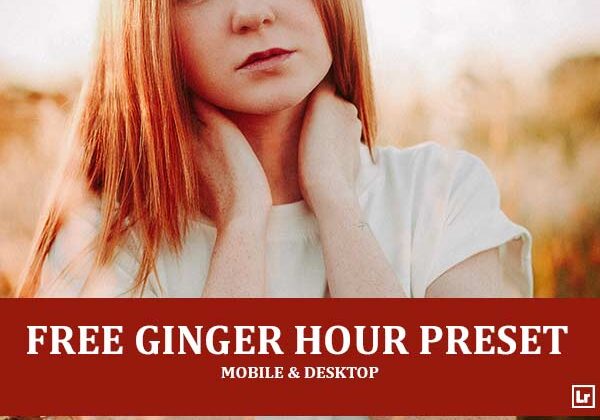
Bring the rich, glowing warmth of golden hour to your portraits. The Ginger Hour preset takes bright, washed-out backlit shots and turns them into deep, moody scenes with fiery copper tones, warm amber highlights, and soft, cinematic contrast.

Before After Imagery:
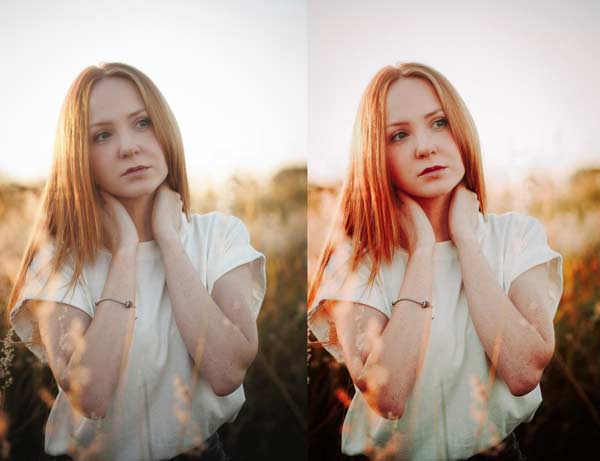
Free Ginger Hour Lightroom Preset:
Best for:
- Golden hour and backlit sunset portraits
- Outdoor portrait, fashion, and lifestyle photography
- Red, ginger, and warm-toned hair
- Fields, meadows, and nature scenes with soft, glowing light
What it does:
- Deepens and enriches hair with vivid copper and ginger tones
- Adds a warm amber glow to highlights and skin
- Recovers washed-out backlight for richer contrast and depth
- Darkens and warms the background so the subject stands out
- Gives lips and cheeks a soft, rosy tint while keeping whites clean
Tip: Works best on backlit portraits at sunset or sunrise. If the image looks too dark, raise the exposure or lift the shadows a touch. If skin tones look too orange, lower the orange saturation slightly.
Compatibility & Features
Our presets are compatible with Lightroom Desktop & Mobile Versions
The presets comes with DNG, XMP, and LRTEMPLATE Format
Presets are compatible with Adobe Photoshop, Camera Raw and Premier Pro
Works with all image and photo formats (.jpg, .png, .raw, .tiff…).
Compatible with Lightroom Mac & Windows
Compatible with all Adobe Photoshop Lightroom® versions: Lightroom 4 or later, Adobe Lightroom CC Desktop 1.4 or later, Lightroom Classic & Lightroom Mobile app ( iOS & Android).
Instant Download Link & Installation Instructions!
Leave a Reply