
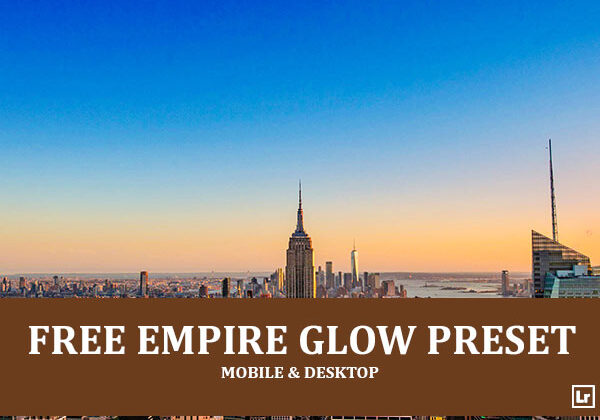
Give your city skyline and sunset photos a vivid, glowing, dramatic finish. The Empire Glow preset takes dull, dark cityscapes and turns them into rich, colorful images with deep blue skies, fiery orange horizon light, lifted shadows, bright building highlights, and punchy, eye-catching contrast.

Before After Imagery:
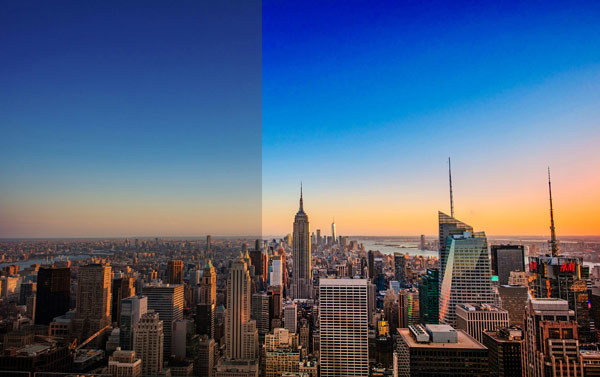
Free Empire Glow Lightroom Preset:
Best for:
- Cityscape, skyline, and aerial urban photography
- Sunset, sunrise, and golden hour city shots
- Rooftop, skyscraper, and architecture photography
- Travel photographers who want a bold, vibrant look across a gallery
What it does:
- Deepens skies into rich, saturated blues
- Brings out fiery orange and golden tones along the horizon
- Lifts dark shadows to reveal detail across buildings and streets
- Makes building highlights and glass surfaces glow with clarity
- Boosts contrast and color depth for a dramatic, cinematic feel
Tip: Works best on sunset or twilight photos with a clear sky and visible horizon glow. If the colors look too intense, lower the vibrance or saturation slightly. If the sky feels too dark, raise the exposure or lift the shadows a touch.
Compatibility & Features
Our presets are compatible with Lightroom Desktop & Mobile Versions
The presets comes with DNG, XMP, and LRTEMPLATE Format
Presets are compatible with Adobe Photoshop, Camera Raw and Premier Pro
Works with all image and photo formats (.jpg, .png, .raw, .tiff…).
Compatible with Lightroom Mac & Windows
Compatible with all Adobe Photoshop Lightroom® versions: Lightroom 4 or later, Adobe Lightroom CC Desktop 1.4 or later, Lightroom Classic & Lightroom Mobile app ( iOS & Android).
Instant Download Link & Installation Instructions!
Leave a Reply