
Description
The look of Fujifilm on your digital photos.
Nine film presets plus 35 AI presets that bring warm, cinematic film color to your edits.
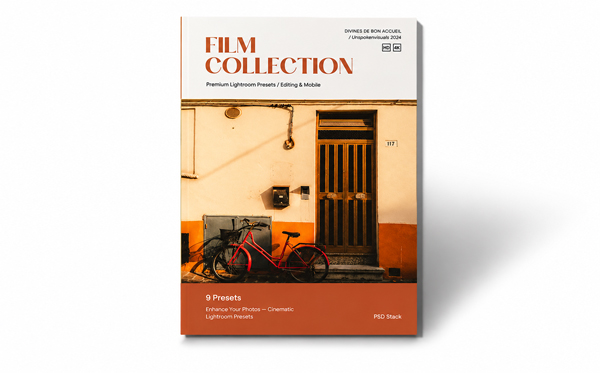
Film Collection 1
Lightroom presets that bring the look of Fujifilm to your digital photos. 9 film presets, each with one-click modifiers, plus 35 AI presets for atmosphere, sky and portraits.
- 9 Desktop presets (.xmp) for new Lightroom Classic
- 9 Mobile presets (.dng) for the Lightroom Mobile app
- 9 Presets (.lrtemplate) for older Lightroom 4, 5 and 6
- 10 AI Atmosphere presets
- 15 AI Background & Sky presets
- 10 AI Subject & Portrait presets
- Grain, Portrait Pop and clarity modifiers
- Video installation guide
- Instant download after purchase, plus a link by email
9 film presets. See the difference.
A tight collection, built to be used. Drag each slider to compare the original photo with the edit.
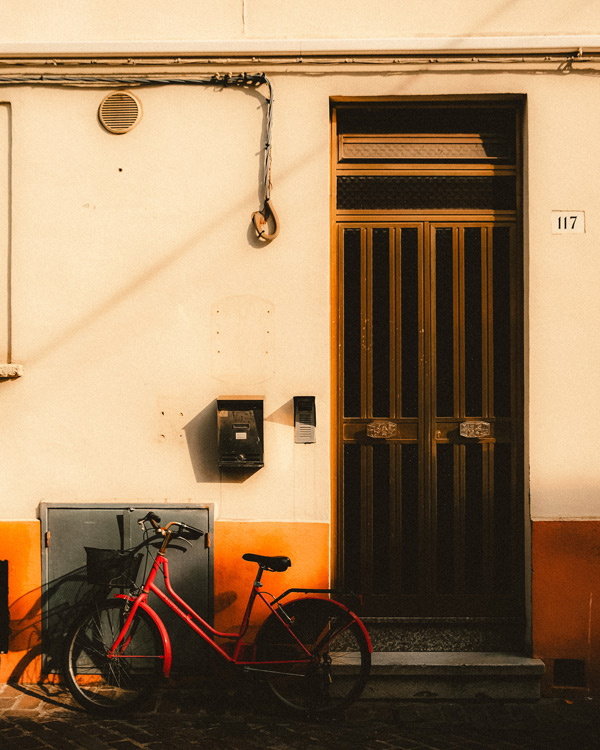
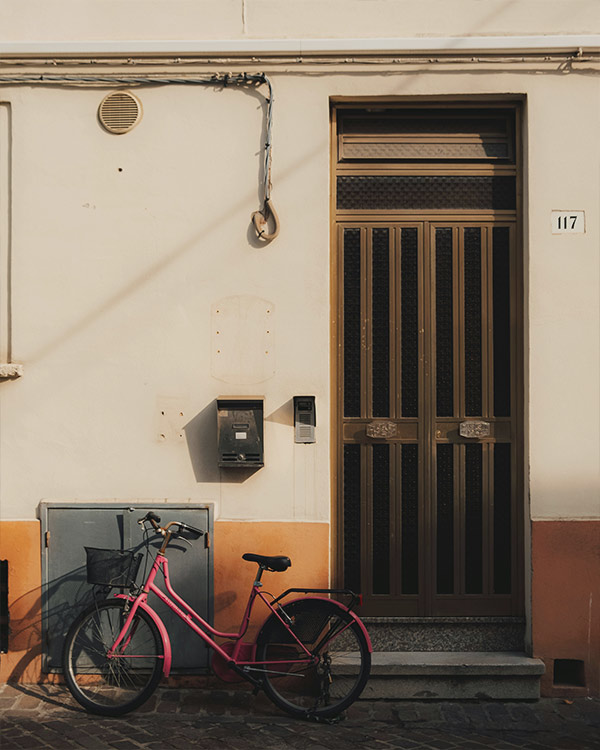 BeforeAfter‹ ›
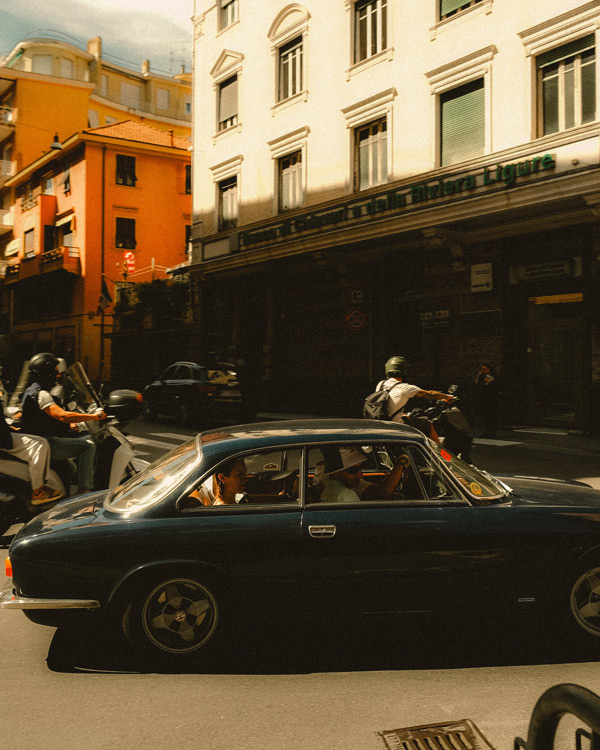
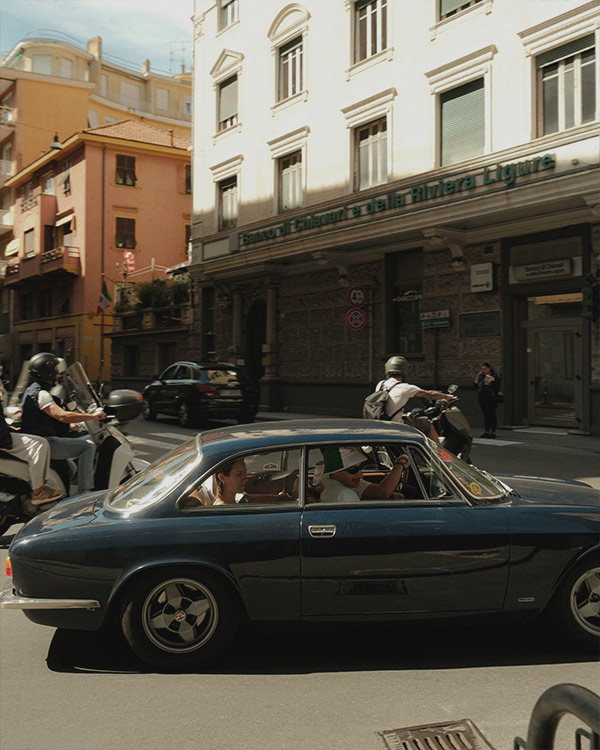 BeforeAfter‹ ›

 BeforeAfter‹ ›

 BeforeAfter‹ ›
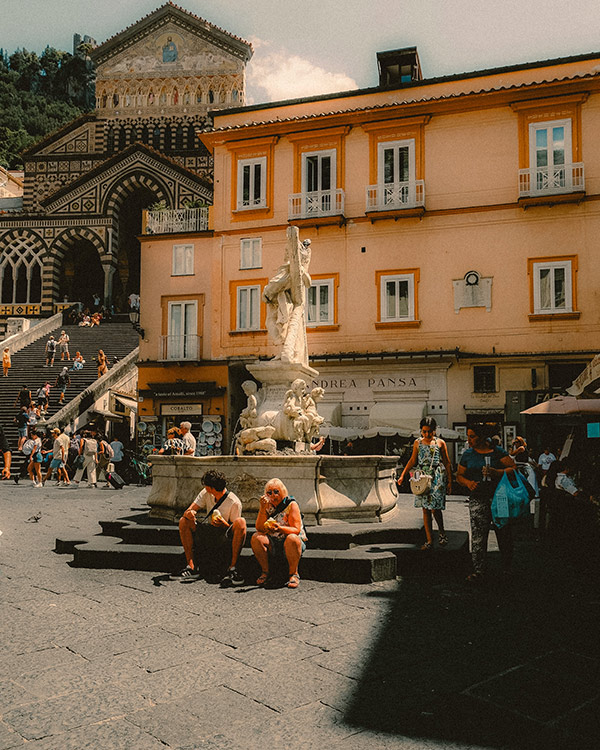
 BeforeAfter‹ ›

 BeforeAfter‹ ›
What’s included
Nine film presets in every format you might need, plus 35 AI presets. Download right after checkout, or any time from the link sent to your email.
- 9 Lightroom Desktop XMP presetsWith modifiers to add grain. For new Lightroom Classic.
- 9 Lightroom LRTEMPLATE presetsWith modifiers to add grain. For older Lightroom versions (4, 5 and 6).
- 9 Mobile DNG presetsWith modifiers to add grain. For the Lightroom Mobile app, no Adobe subscription needed.
- 10 AI Atmosphere presetsAdd mood and ambience to the whole scene with one click.
- 15 AI Background & Sky presetsShape the sky and the scenery behind your subject without masking by hand.
- 10 AI Subject & Portrait presetsBring out people and key details so they stand out from the scene.
- Video installation guideStep-by-step setup for mobile and desktop.
Modifiers: fine-tune any preset in one click
Small, stackable adjustments that refine texture, mood and depth without overcomplicating the process.
- Grain HeavyInspired by fine 120 film. A deeper, more cinematic look that adds character without overpowering your photo.
- Grain LightA subtle version of the same texture. Keeps your image clean with just enough analog feel.
- Portrait PopLifts your subject from the background with subtle depth and clarity, adding separation without harsh effects.
- Drop ClaritySlightly softens textures while keeping the image sharp and balanced.
- Dump ClarityA stronger softening for a smoother, dreamier look.
- CreamyDrops clarity and lifts highlights for a soft, glowing, airy finish.
Why use presets?
Some people say you shouldn’t buy presets. That’s true if you’re a pro or already know Lightroom well. If you’re new, or you’d rather spend your time shooting than editing, a preset pack is a good investment.
You’ll also learn how a look is built by opening the preset settings, which helps you create your own style from scratch. And you’re free to adjust any preset to match your style.
- Skip the hours spent building looks. Pick a preset, fine-tune it, and you’re done.
- Presets are well organized, so the one you want is easy to find.
- Installation instructions are included in the video guide.
- Support is a click away. Most emails get a reply within a few hours.
- Speed up your workflow and spend less time on post-processing.
12K happy customers.
Photographers use PSD Stack presets to edit faster and find their look. Here’s what a few of them say.
“These film presets are the best that I have used so far.”
“So far I love them, and they are beautiful.”
“Absolutely love these presets!”
Get Film Collection 1
9 film presets for Lightroom Classic, older Lightroom versions and Lightroom Mobile, with grain, portrait and clarity modifiers, plus 35 AI presets.
$19.99
Reviews
There are no reviews yet.