
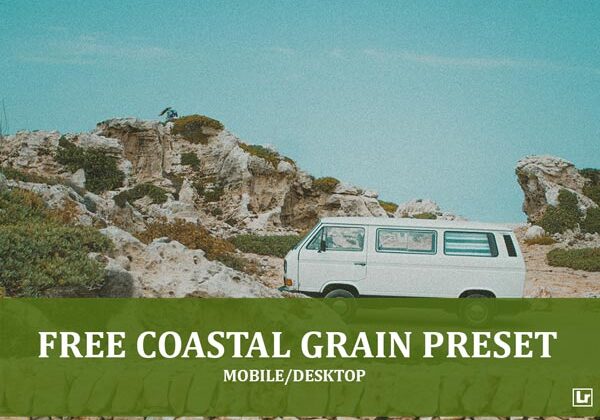
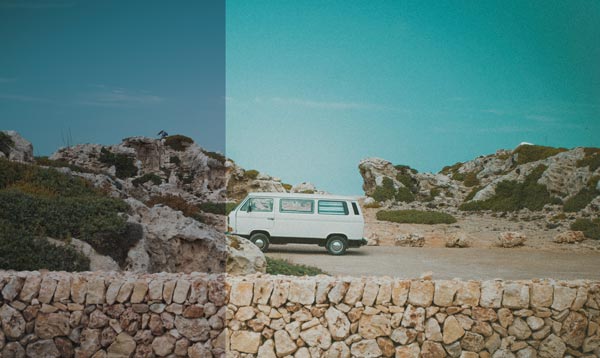
Give your travel and road trip photos a soft, grainy, vintage film finish. The Coastal Grain preset takes dark, flat coastal shots and turns them into light, dreamy images with faded teal skies, warm sandy stone tones, muted natural greens, gentle matte contrast, and a subtle film grain that adds a nostalgic, sun-washed mood.

Before After Imagery:
Free Coastal Grain Lightroom Preset:
Best for:
- Travel, road trip, and van life photography
- Coastal, seaside, and Mediterranean landscapes
- Vintage, retro, and film-style outdoor scenes
- Photographers and bloggers who want a soft, nostalgic, grainy look across a gallery
What it does:
- Brightens dark, heavy tones for a light, sun-washed feel
- Shifts skies into soft, faded teal and aqua tones
- Keeps stone, sand, and earthy surfaces warm and natural
- Mutes greens for a gentle, vintage color balance
- Adds fine film grain and a soft matte finish for an analog look
Tip: Works best on daylight photos with open skies and natural, earthy tones. If the teal tones look too strong, lower the aqua and blue saturation slightly. If the grain feels too strong, reduce the grain amount a touch.
Compatibility & Features
Our presets are compatible with Lightroom Desktop & Mobile Versions
The presets comes with DNG, XMP, and LRTEMPLATE Format
Presets are compatible with Adobe Photoshop, Camera Raw and Premier Pro
Works with all image and photo formats (.jpg, .png, .raw, .tiff…).
Compatible with Lightroom Mac & Windows
Compatible with all Adobe Photoshop Lightroom® versions: Lightroom 4 or later, Adobe Lightroom CC Desktop 1.4 or later, Lightroom Classic & Lightroom Mobile app ( iOS & Android).
Instant Download Link & Installation Instructions!
Leave a Reply