
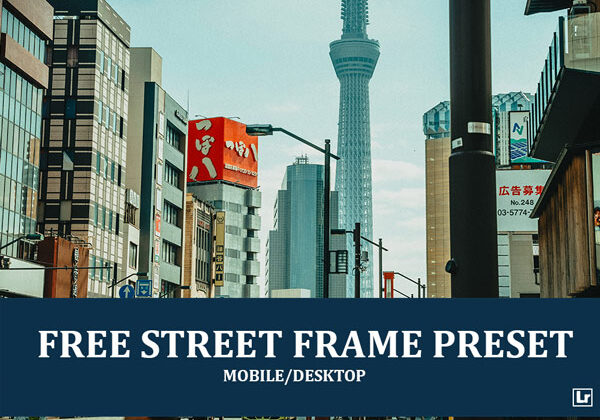
Give your busy city and street photos a moody, cinematic, teal-toned finish. The Street Frame preset takes flat, hazy urban shots and turns them into rich, contrasty images with deep blue-teal skies, warm amber building tones, bold red accents, darker shadows, and a gritty, film-inspired street look.

Before After Imagery:
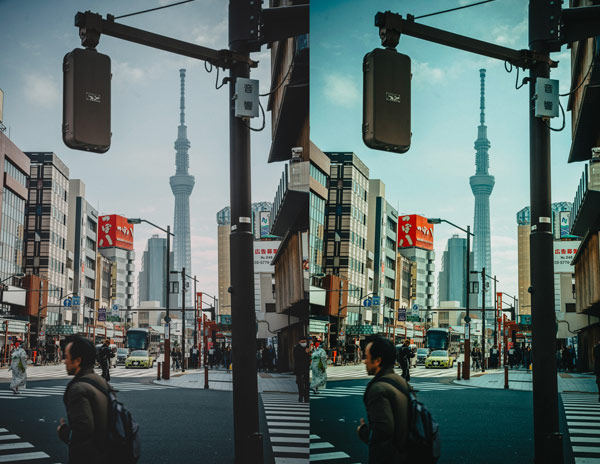
Free Street Frame Lightroom Preset:
Best for:
- Street, urban, and candid city photography
- Travel, cityscape, and skyline shots
- Busy intersections, signage, and everyday city life
- Photographers who want a moody, cinematic street look across a gallery
What it does:
- Deepens skies into rich blue and teal tones
- Adds warm amber and orange hues to buildings and sunlit surfaces
- Strengthens contrast and shadows for a gritty, dramatic mood
- Keeps reds, signs, and street accents bold and vibrant
- Adds clarity and texture to architecture, poles, and fine details
Tip: Works best on daytime city photos with open skies and a mix of buildings and street details. If the teal tones look too strong, lower the aqua and blue saturation slightly. If the shadows feel too heavy, lift the shadows or raise the exposure a touch.
Compatibility & Features
Our presets are compatible with Lightroom Desktop & Mobile Versions
The presets comes with DNG, XMP, and LRTEMPLATE Format
Presets are compatible with Adobe Photoshop, Camera Raw and Premier Pro
Works with all image and photo formats (.jpg, .png, .raw, .tiff…).
Compatible with Lightroom Mac & Windows
Compatible with all Adobe Photoshop Lightroom® versions: Lightroom 4 or later, Adobe Lightroom CC Desktop 1.4 or later, Lightroom Classic & Lightroom Mobile app ( iOS & Android).
Instant Download Link & Installation Instructions!
Leave a Reply