
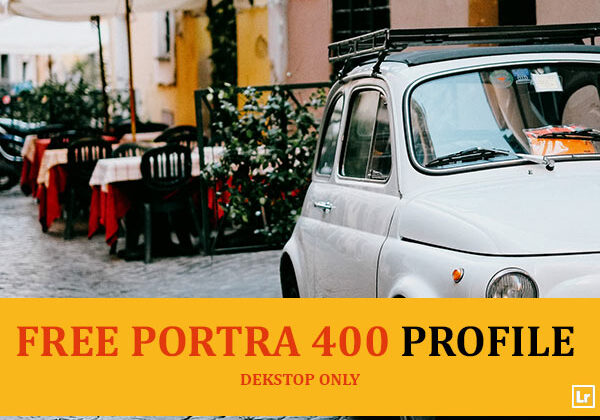
Lightroom Profile · Desktop Only
A premium profile inspired by Kodak Portra 400, designed to deliver creamy skin tones, soft contrast, and beautifully balanced colors.

Free Portra 400 Lightroom Profile
Portra 400 is built on the color science of the legendary Kodak film stock photographers reach for when they want skin tones that look flattering straight out of camera. Rather than pushing a heavy stylized filter, this profile works at the color-engine level of Lightroom to soften contrast and balance color the way Portra film naturally renders, which is why it holds up so well across skin tones, lighting conditions, and shooting styles.
53% Off
★★★★★ 4.87/5 from 23 reviews
The Only Lightroom Preset Made From Real Film Scans
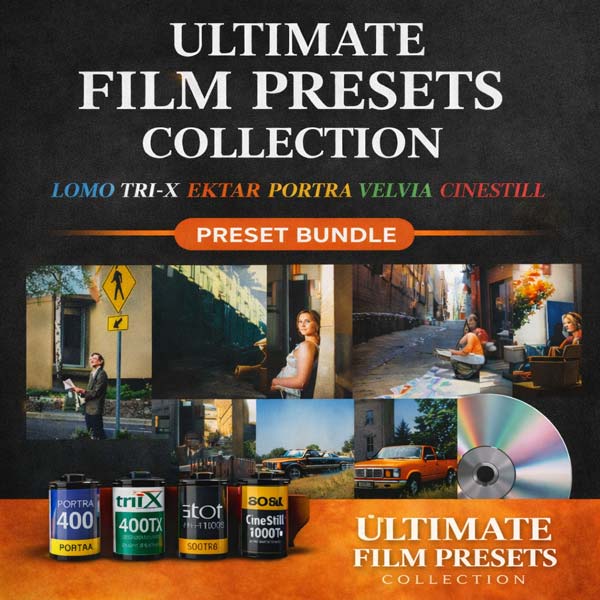
This free profile is one taste of the film-look family. The full Ultimate Film Presets Collection reproduces the grain, halation, and color chemistry of 24 legendary film stocks, from warm Portra tones to cool cinematic hues, in one click.
- 50 Lightroom Desktop XMP presets
- 50 matching Mobile presets
- 30 light-leak overlays
- 14 instant film-border frames
$79.99 $37.00 Save 53%
Compatibility & Features
| Platforms | Lightroom CC, Lightroom Classic & Camera Raw (Desktop only) |
| Formats | Comes with XMP and LRTEMPLATE format |
| Adobe Apps | Compatible with Adobe Photoshop and Camera Raw |
| File Types | Works with all image and photo formats (.jpg, .png, .raw, .tiff…) |
| Operating System | Compatible with Lightroom on Mac & Windows |
| Mobile | Not supported. Lightroom profiles only work in the desktop apps and Camera Raw |
| Delivery | Instant download link & installation instructions included |
What It Does to Your Photos
Creamy skin tones
Renders skin with the warm, soft quality Portra film is known for, flattering across most skin tones.
Softens contrast
Eases the tone curve so images feel gentle and film-like instead of punchy or digital.
Balances color
Keeps greens, blues, and skin tones working together instead of one color dominating the frame.
Adds film-grade depth
Works at the color-profile level, so it holds up across a wide range of lighting conditions.
Works Everywhere You Shoot: On Desktop
Frequently Asked Questions
What’s the difference between a profile and a preset?
A profile changes the base color rendering of your photo at the camera-calibration level, before any other edits are applied. Presets stack adjustments on top. Profiles tend to look more natural and hold up better across different lighting.
Does this work on Lightroom Mobile?
No. Lightroom profiles are only supported in the desktop apps: Lightroom Classic, Lightroom CC Desktop, and Adobe Camera Raw. They are not available in Lightroom Mobile on iOS or Android.
What type of photography is Portra 400 best for?
Portraits, weddings, and lifestyle photography where natural, flattering skin tones matter most.
Is it really free?
Yes. No watermark, no email gate, no time limit. If you want the full range of film looks, the Ultimate Film Presets Collection above expands on this one.
Get the Portra 400 Profile
One click. Works in Lightroom Classic, Lightroom CC Desktop, and Camera Raw.
Leave a Reply