
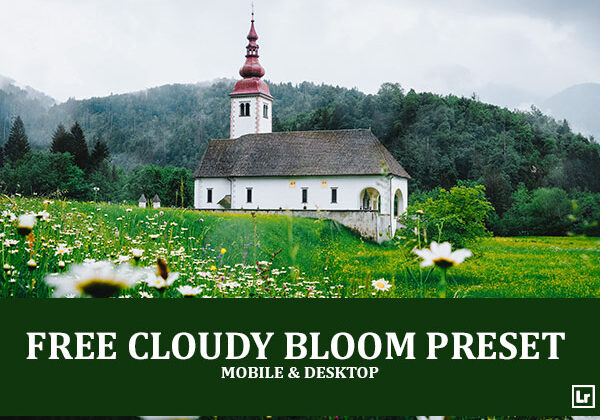
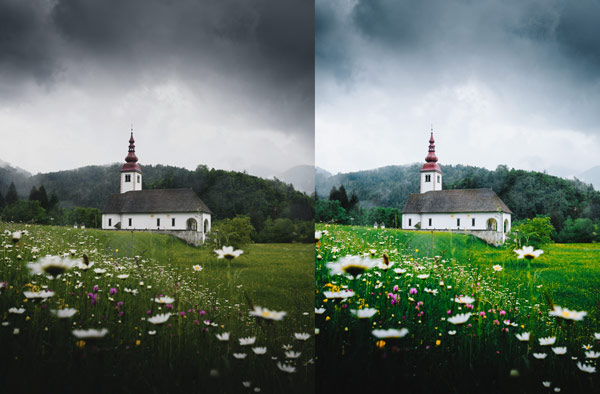
Give your moody, overcast landscape photos a fresh, vibrant, storybook finish. The Cloudy Bloom preset takes dull, gray-toned shots and turns them into rich, atmospheric images with deep emerald greens, bright and colorful wildflowers, dramatic cloud detail, cool blue-teal skies, and crisp white highlights that pop against the stormy mood.

Before After Imagery:
Free Cloudy Bloom Lightroom Preset:
Best for:
- Landscape, nature, and countryside photography
- Overcast, stormy, and rainy day scenes
- Flower fields, meadows, and spring or summer greenery
- Travel photographers who want a rich, moody, fresh look across a gallery
What it does:
- Deepens greens in grass and trees into rich, lush emerald tones
- Makes flowers and small color accents pop with vibrancy
- Adds cool blue-teal tones and detail to cloudy skies
- Keeps whites in buildings and petals clean and bright
- Boosts contrast and clarity for a dramatic, atmospheric feel
Tip: Works best on overcast or stormy photos with plenty of greenery and soft light. If the greens look too intense, lower the green saturation slightly. If the sky feels too dark, lift the highlights or raise the exposure a touch.
Compatibility & Features
Our presets are compatible with Lightroom Desktop & Mobile Versions
The presets comes with DNG, XMP, and LRTEMPLATE Format
Presets are compatible with Adobe Photoshop, Camera Raw and Premier Pro
Works with all image and photo formats (.jpg, .png, .raw, .tiff…).
Compatible with Lightroom Mac & Windows
Compatible with all Adobe Photoshop Lightroom® versions: Lightroom 4 or later, Adobe Lightroom CC Desktop 1.4 or later, Lightroom Classic & Lightroom Mobile app ( iOS & Android).
Instant Download Link & Installation Instructions!
Leave a Reply