
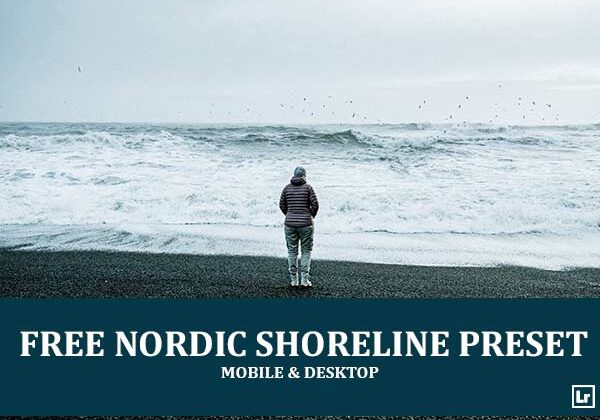
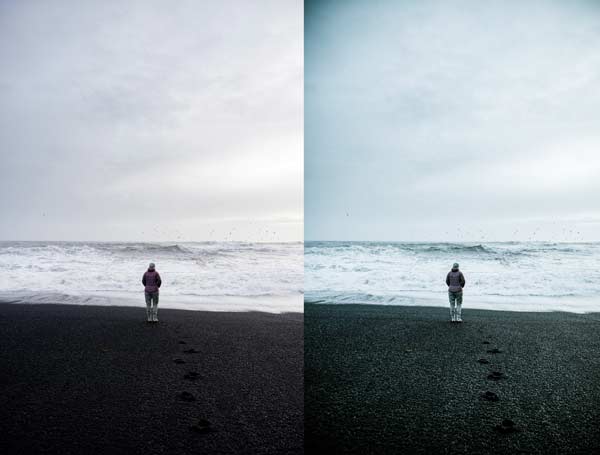
Bring the cold, quiet drama of the Nordic coast to your landscape photos. The Nordic Shoreline preset takes flat, gray, overcast scenes and turns them into moody, atmospheric images with cool teal skies, deep dark tones, and crisp, glowing surf.

Before After Imagery:
Free Nordic Shoreline Lightroom Preset:
Best for:
- Seascape, beach, and coastal landscape photography
- Black sand beaches, stormy waves, and overcast skies
- Minimal, moody compositions with a lone figure or subject
- Travel and landscape photographers who want a cool, dramatic, Nordic-style feed
What it does:
- Adds a cool teal-blue tone to skies, water, and shadows
- Deepens dark sand and rock for rich, inky blacks
- Keeps waves and surf bright and crisp against the dark shoreline
- Adds contrast and clarity for a dramatic, atmospheric finish
- Lets small details like clothing and footprints stand out
Tip: Works best on overcast coastal scenes with soft, even light and a dark foreground. If the teal looks too strong, warm the temperature slightly or lower the aqua saturation. If the shadows feel too heavy, lift the shadows or raise the exposure a touch.
Compatibility & Features
Our presets are compatible with Lightroom Desktop & Mobile Versions
The presets comes with DNG, XMP, and LRTEMPLATE Format
Presets are compatible with Adobe Photoshop, Camera Raw and Premier Pro
Works with all image and photo formats (.jpg, .png, .raw, .tiff…).
Compatible with Lightroom Mac & Windows
Compatible with all Adobe Photoshop Lightroom® versions: Lightroom 4 or later, Adobe Lightroom CC Desktop 1.4 or later, Lightroom Classic & Lightroom Mobile app ( iOS & Android).
Instant Download Link & Installation Instructions!
Leave a Reply