
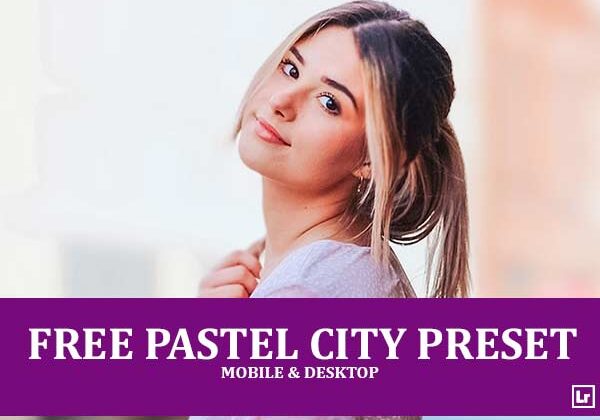
Bring a soft, dreamy glow to your urban portraits. The Pastel City preset takes flat, muted street shots and turns them into bright, airy images with rosy skin tones, peachy-pink buildings, gentle blue skies, and a sweet, pastel finish.

Before After Imagery:
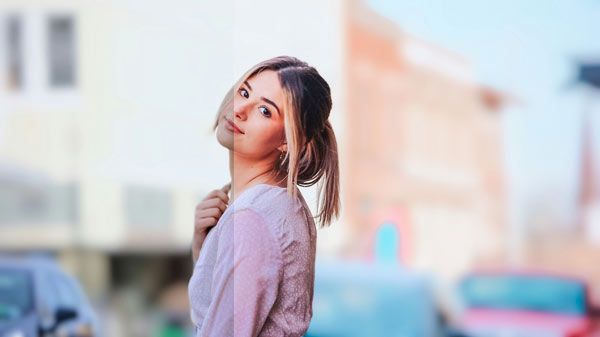
Free Pastel City Lightroom Preset:
Best for:
- Urban, street, and city portrait photography
- Fashion and lifestyle shots in bright daylight
- Blurred cityscapes, storefronts, and soft bokeh backgrounds
- Influencers and photographers who want a soft, pastel, feminine feed
What it does:
- Brightens exposure for a light, airy look
- Gives skin tones a soft, rosy, glowing finish
- Turns dull yellow-gray tones into peachy pinks and creamy neutrals
- Keeps skies and cool accents soft and pastel blue
- Adds gentle contrast and clarity so the subject stands out from the background
Tip: Works best on bright, soft daylight portraits with a blurred city background. If skin tones look too pink, lower the red or magenta saturation slightly. If the image feels too bright, pull the exposure or highlights down a touch.
Compatibility & Features
Our presets are compatible with Lightroom Desktop & Mobile Versions
The presets comes with DNG, XMP, and LRTEMPLATE Format
Presets are compatible with Adobe Photoshop, Camera Raw and Premier Pro
Works with all image and photo formats (.jpg, .png, .raw, .tiff…).
Compatible with Lightroom Mac & Windows
Compatible with all Adobe Photoshop Lightroom® versions: Lightroom 4 or later, Adobe Lightroom CC Desktop 1.4 or later, Lightroom Classic & Lightroom Mobile app ( iOS & Android).
Instant Download Link & Installation Instructions!
Leave a Reply