
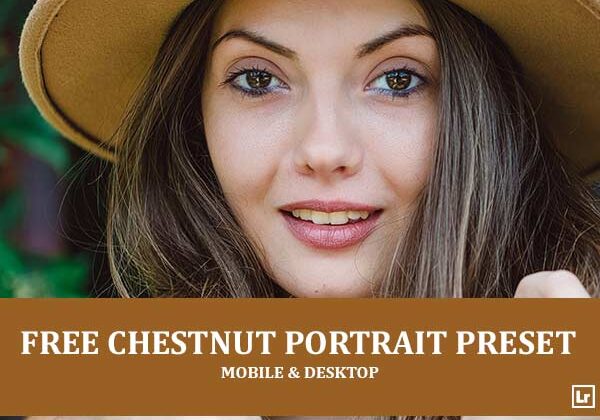
Give your portraits a warm, polished glow with rich, natural color. The Chestnut Portrait preset takes flat, muted shots and turns them into radiant images with golden skin tones, deep chestnut hair, and lush green backgrounds that make your subject stand out.

Before After Imagery:
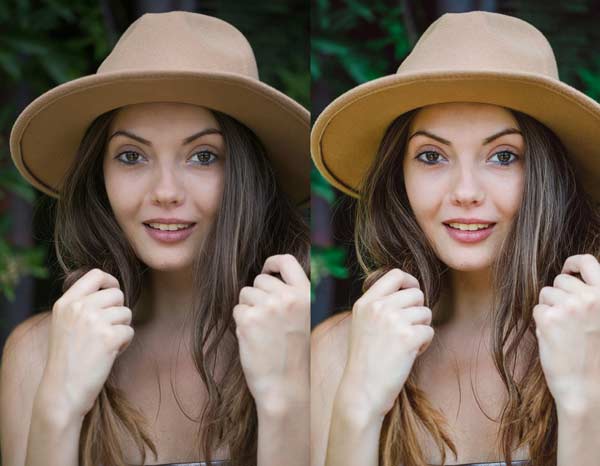
Free Chestnut Portrait Lightroom Preset:
Best for:
- Portrait, beauty, and fashion photography
- Outdoor shots with greenery and soft natural light
- Brunette and warm-toned hair, hats, and earthy styling
- Photographers who want a warm, clean, professional look for their portfolio or feed
What it does:
- Warms and brightens skin tones for a healthy, glowing complexion
- Enriches hair with deep chestnut tones and golden highlights
- Adds warmth and richness to tan and earthy accessories
- Deepens green backgrounds for strong subject separation
- Adds clarity and contrast for sharper eyes, lips, and fine details
Tip: Works best on portraits in soft, natural light with a green or dark background. If skin tones look too orange, lower the orange saturation slightly. If the background feels too dark, raise the green luminance or lift the shadows a touch.
Compatibility & Features
Our presets are compatible with Lightroom Desktop & Mobile Versions
The presets comes with DNG, XMP, and LRTEMPLATE Format
Presets are compatible with Adobe Photoshop, Camera Raw and Premier Pro
Works with all image and photo formats (.jpg, .png, .raw, .tiff…).
Compatible with Lightroom Mac & Windows
Compatible with all Adobe Photoshop Lightroom® versions: Lightroom 4 or later, Adobe Lightroom CC Desktop 1.4 or later, Lightroom Classic & Lightroom Mobile app ( iOS & Android).
Instant Download Link & Installation Instructions!
Leave a Reply