
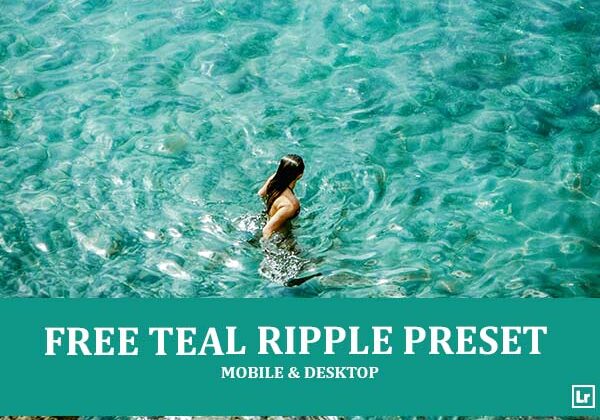
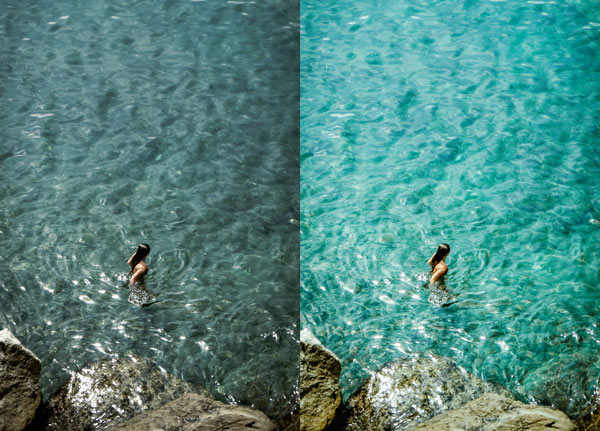
Give your sea, beach, and travel photos a vivid, crystal-clear tropical finish. The Teal Ripple preset takes dull, grayish water shots and turns them into rich, glowing images with bright turquoise tones, sparkling highlights on the surface, warm natural skin tones, and deep, earthy rock textures.

Before After Imagery:
Free Teal Ripple Lightroom Preset:
Best for:
- Beach, sea, ocean, and coastal photography
- Travel, vacation, and summer lifestyle shots
- Drone, aerial, and top-down water photography
- Photographers and travel bloggers who want a vibrant, tropical look across a gallery
What it does:
- Turns dull, gray-green water into bright, vivid turquoise
- Makes sunlit ripples and surface sparkles pop with added clarity
- Keeps skin tones warm and natural against the cool water
- Adds warmth and texture to rocks, sand, and earthy tones
- Boosts contrast and color depth for a fresh, summery feel
Tip: Works best on bright, sunny photos with clear water and strong natural light. If the water looks too saturated, lower the aqua and blue saturation slightly. If the image feels too dark, raise the exposure or lift the shadows a touch.
Compatibility & Features
Our presets are compatible with Lightroom Desktop & Mobile Versions
The presets comes with DNG, XMP, and LRTEMPLATE Format
Presets are compatible with Adobe Photoshop, Camera Raw and Premier Pro
Works with all image and photo formats (.jpg, .png, .raw, .tiff…).
Compatible with Lightroom Mac & Windows
Compatible with all Adobe Photoshop Lightroom® versions: Lightroom 4 or later, Adobe Lightroom CC Desktop 1.4 or later, Lightroom Classic & Lightroom Mobile app ( iOS & Android).
Instant Download Link & Installation Instructions!
Leave a Reply