
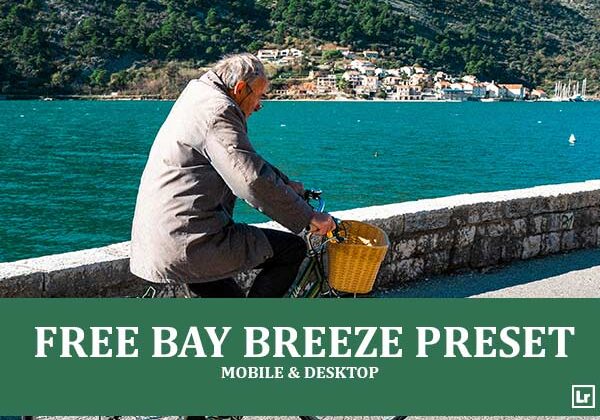
Bring the bright, breezy feel of a seaside getaway to your travel photos. The Bay Breeze preset takes flat, slightly hazy coastal shots and turns them into vivid, sunlit scenes with clear skies, glowing water, and a fresh, airy atmosphere.

Before After Imagery:
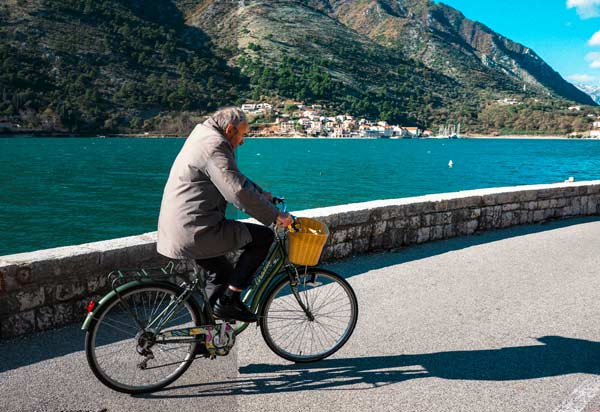
Free Bay Breeze Lightroom Preset:
Best for:
- Coastal, seaside, and lakeside travel photography
- Harbor towns, bays, and mountain-and-water landscapes
- Street and lifestyle shots in bright, sunny conditions
- Travel bloggers and photographers who want a vivid, holiday-ready feed
What it does:
- Deepens and saturates teal, turquoise, and blue tones
- Cleans up haze for a clear, crisp daylight look
- Adds warmth to stone, buildings, and earthy tones
- Boosts contrast and clarity for stronger texture and depth
- Keeps shadows defined for a bold, sun-drenched mood
Tip: Works best on bright, sunny scenes with water or sky in the frame. If the water looks too intense, lower the aqua saturation slightly. If skin tones or warm tones feel too strong, cool the temperature a touch.
Compatibility & Features
Our presets are compatible with Lightroom Desktop & Mobile Versions
The presets comes with DNG, XMP, and LRTEMPLATE Format
Presets are compatible with Adobe Photoshop, Camera Raw and Premier Pro
Works with all image and photo formats (.jpg, .png, .raw, .tiff…).
Compatible with Lightroom Mac & Windows
Compatible with all Adobe Photoshop Lightroom® versions: Lightroom 4 or later, Adobe Lightroom CC Desktop 1.4 or later, Lightroom Classic & Lightroom Mobile app ( iOS & Android).
Instant Download Link & Installation Instructions!
Leave a Reply