
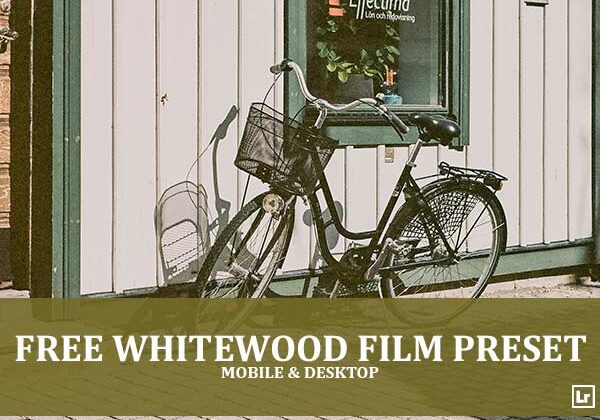
Give your street and architecture photos a calm, muted film look. The Whitewood Film preset takes bright, warm-toned daylight shots and turns them into soft, faded scenes with gentle contrast, subtle cool tones, and a quiet, nostalgic analog mood.

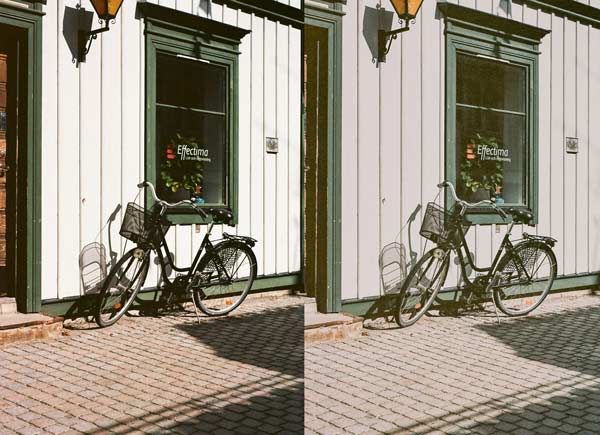
Before After Imagery:
Free Whitewood Film Lightroom Preset:
Best for:
- Street, travel, and small-town photography
- Architecture with painted wood, brick, and cobblestone textures
- Bikes, storefronts, and quiet everyday scenes in bright daylight
- Photographers who want a muted, film-inspired, minimalist feed
What it does:
- Mutes saturation for a soft, understated color palette
- Cools down overly warm tones for a calm, balanced look
- Lifts blacks and softens contrast for a faded, matte finish
- Keeps whites clean and creamy while deepening greens to a rich forest tone
- Gives stone, brick, and cobblestone a gentle, natural texture
Tip: Works best on bright, sunny scenes with strong shadows and neutral or earthy tones. If the image feels too flat, add a little contrast or pull the blacks down. If it looks too cool, warm the temperature slightly.
Compatibility & Features
Our presets are compatible with Lightroom Desktop & Mobile Versions
The presets comes with DNG, XMP, and LRTEMPLATE Format
Presets are compatible with Adobe Photoshop, Camera Raw and Premier Pro
Works with all image and photo formats (.jpg, .png, .raw, .tiff…).
Compatible with Lightroom Mac & Windows
Compatible with all Adobe Photoshop Lightroom® versions: Lightroom 4 or later, Adobe Lightroom CC Desktop 1.4 or later, Lightroom Classic & Lightroom Mobile app ( iOS & Android).
Instant Download Link & Installation Instructions!
Leave a Reply