
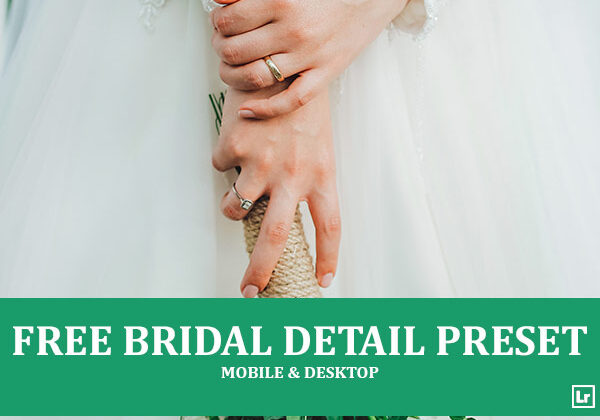
Give your bridal and wedding detail shots a bright, airy, delicate finish. The Bridal Detail preset takes flat, muted detail photos and turns them into clean, luminous images with soft creamy whites, gentle skin tones, fresh vibrant greens, and light, dreamy shadows.

Before After Imagery:
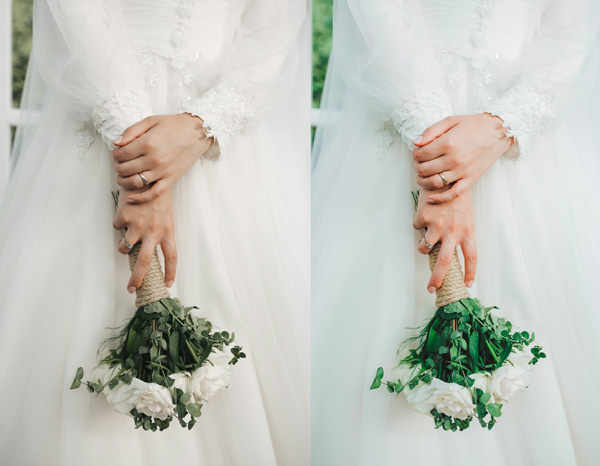
Free Bridal Detail Lightroom Preset:
Best for:
- Wedding, bridal, and engagement photography
- Bouquet, dress, ring, and wedding detail shots
- Bridal portraits and close-up hand and floral details
- Wedding photographers who want a bright, airy, delicate look across a gallery
What it does:
- Brightens the exposure for a clean, airy, light-filled look
- Keeps whites in gowns, lace, and veils soft, creamy, and detailed
- Smooths and balances skin tones for a natural, delicate finish
- Makes greens and florals fresh, rich, and vibrant
- Adds gentle clarity to fine textures like lace, beading, and rings
Tip: Works best on soft, natural light photos with white or neutral wedding details. If the whites look too bright, lower the highlights or exposure slightly. If skin tones feel too pale, raise the orange saturation or add a touch of warmth.
Compatibility & Features
Our presets are compatible with Lightroom Desktop & Mobile Versions
The presets comes with DNG, XMP, and LRTEMPLATE Format
Presets are compatible with Adobe Photoshop, Camera Raw and Premier Pro
Works with all image and photo formats (.jpg, .png, .raw, .tiff…).
Compatible with Lightroom Mac & Windows
Compatible with all Adobe Photoshop Lightroom® versions: Lightroom 4 or later, Adobe Lightroom CC Desktop 1.4 or later, Lightroom Classic & Lightroom Mobile app ( iOS & Android).
Instant Download Link & Installation Instructions!
Leave a Reply