
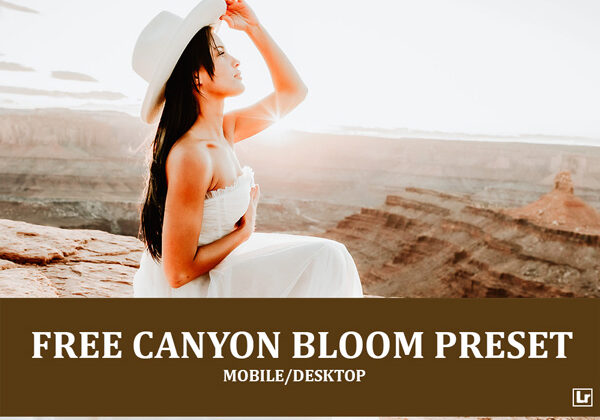
Give your bridal, elopement, and desert portraits a bright, airy, sun-drenched finish. The Canyon Bloom preset takes flat, dull outdoor shots and turns them into soft, glowing images with creamy white gowns, warm terracotta rock tones, natural golden skin, hazy sunlit skies, and a light, romantic, editorial feel.

Before After Imagery:
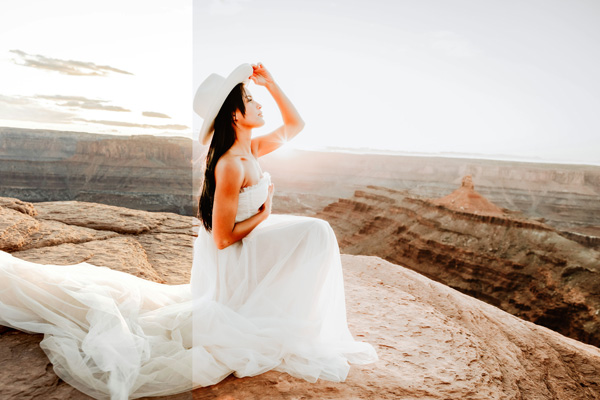
Free Canyon Bloom Lightroom Preset:
Best for:
- Bridal, elopement, and engagement photography
- Desert, canyon, and sunset landscape portraits
- Fashion, boho, and editorial outdoor shoots
- Photographers who want a bright, warm, romantic look across a gallery
What it does:
- Keeps white gowns, tulle, and fabrics creamy, soft, and detailed
- Warms rocks and earthy tones into rich terracotta and peach hues
- Smooths skin tones with a warm, natural glow
- Brightens the sky and adds a soft, hazy sunlit atmosphere
- Adds gentle contrast and clarity without losing the airy mood
Tip: Works best on bright, natural light photos taken in the morning or late afternoon with open skies. If the whites look too bright, lower the highlights or exposure slightly. If the image feels too warm, reduce the temperature a touch.
Compatibility & Features
Our presets are compatible with Lightroom Desktop & Mobile Versions
The presets comes with DNG, XMP, and LRTEMPLATE Format
Presets are compatible with Adobe Photoshop, Camera Raw and Premier Pro
Works with all image and photo formats (.jpg, .png, .raw, .tiff…).
Compatible with Lightroom Mac & Windows
Compatible with all Adobe Photoshop Lightroom® versions: Lightroom 4 or later, Adobe Lightroom CC Desktop 1.4 or later, Lightroom Classic & Lightroom Mobile app ( iOS & Android).
Instant Download Link & Installation Instructions!
Leave a Reply